Docker containers unreachable via proxy when using VPN
My solution to reach my applications via proxy when connected via a VPN.
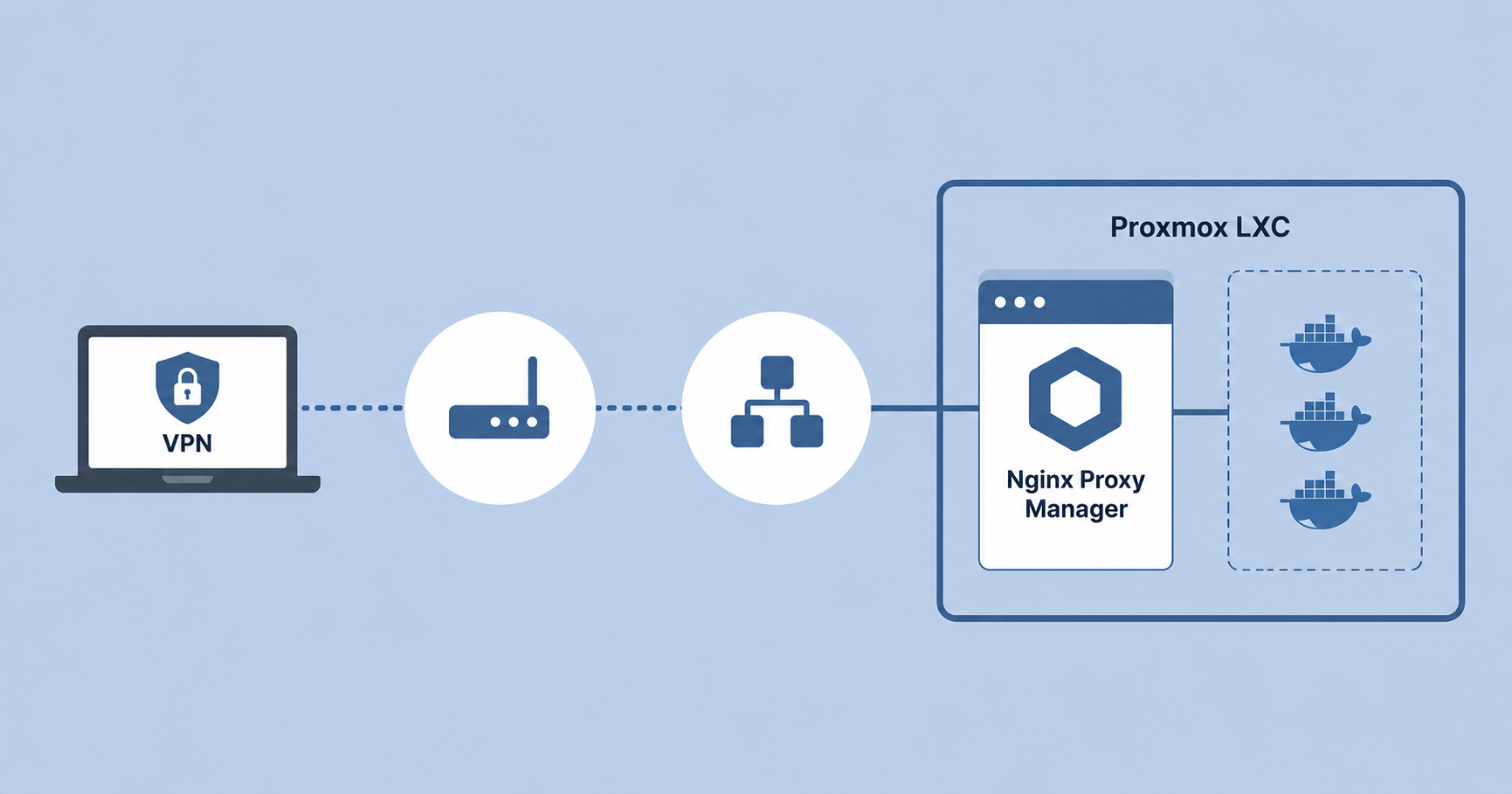
In my homelab I use Proxmox to host several Linux Containers (LXC) and Virtual Machines (VMs). One of these LXCs hosts a Docker environment containing multiple containers. These containers are connected to a Docker bridge network and exposed through Nginx Proxy Manager (NPM). NPM is running inside a Docker container.
I also configured other applications and services to route via NPM because homeassistant.mynetwork.internal is easier to remember than 10.1.123.12:8123. Using NPM also allowed me to configure SSL certificates through Let’s Encrypt.
To access these services while travelling, I use a VPN connection to my internal network.
Hosts unreachable
This setup worked perfectly except for one issue. When connected through the VPN the applications were reachable through their IP addresses, but not through their URLs. Accessing them through the proxy resulted in a 504 Gateway Timeout. Since all the Docker containers where only reachable via the Proxy, I couldn’t reach these at all.
Trouble shooting
The VPN uses a different VLAN than the VLAN used by the applications.
1
2
10.1.123.1 LAN
10.1.321.0 VPN
To identify the cause of the 504 errors, I first reviewed the firewall rules and logs. No firewall rules were blocking the traffic. The firewall logs showed that the host closed the connection.
Inside the Docker LXC I used tcpdump to inspect traffic between the VPN connected device with IP 10.1.321.3 and the Docker host while connecting to a proxied service.
1
sudo tcpdump -i any host 10.1.321.3
The traffic from 10.1.321.3 reached the LXC, but the LXC could not determine where to send the response traffic. There was no route to the VPN subnet.
Direct IP access worked because the connection did not traverse the reverse proxy container path in the same way.
Route
Using the ip route command I added a route inside the LXC for the VPN subnet 10.1.321.0/24.
1
ip route add 10.1.321.0/24 via 10.1.123.1 dev eth0
After adding the route, the applications became reachable through the VPN using both their IP addresses and their URLs through the proxy.
And to make the route persistent I added it to /etc/network/interfaces:
1
2
3
4
5
auto eth0
iface eth0 inet static
        address 10.1.123.123/24
        gateway 10.1.123.1
        post-up ip route add 10.1.321.0/24 via 10.1.123.1 dev eth0
Conclusion
The issue was caused by a missing route between the Docker LXC and the VPN subnet. Once the route was added, the Docker containers and proxied applications became accessible through the VPN without issues.
This route was temporary and would disappear after rebooting the container. A persistent route configuration was required for a permanent solution.