Scrollable code snippets in Chirpy
How to make the code snippets scrollable in a Chirpy themed website.

When writing blog posts, I often include example code. Some code blocks are only a few lines long, while others can contain dozens of lines of YAML, Bash, or configuration data. Small code snippets fit naturally within the article, but larger blocks can quickly take up too much space and disrupt readability.
Maximum lines
After quite a bit of searching, I found a useful suggestion on GitHub. The solution uses custom CSS in ./assets/css/jekyll-theme-chirpy.scss to make code blocks scroll vertically once they exceed a defined height.
1
2
3
4
5
6
7
/* append your custom style below */
$max-lines: 10; // max lines of code to be scrolled

.highlight {
    overflow-y: auto;
    max-height: $max-lines * 1em;
}
Specific code blocks
This worked well, but I also wanted the ability to only set the maximum height restriction for specific code blocks. For example, log output or shorter examples often fit better when displayed in full.
To achieve this, I combined the two examples into a single solution and added it to ./assets/css/jekyll-theme-chirpy.scss.
1
2
3
4
5
6
7
/* append your custom style below */
$max-lines: 25; // max lines of code to be scrolled

div.scroll > .highlight  {
    overflow-y: auto;
    max-height: $max-lines * 1em;
}
Now, whenever I want a code block to become scrollable, I simply add {: .scroll} directly after the closing backticks. This keeps long code examples compact while allowing readers to scroll through the content when needed.
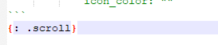 Fig.1 Applying the
 .scroll class
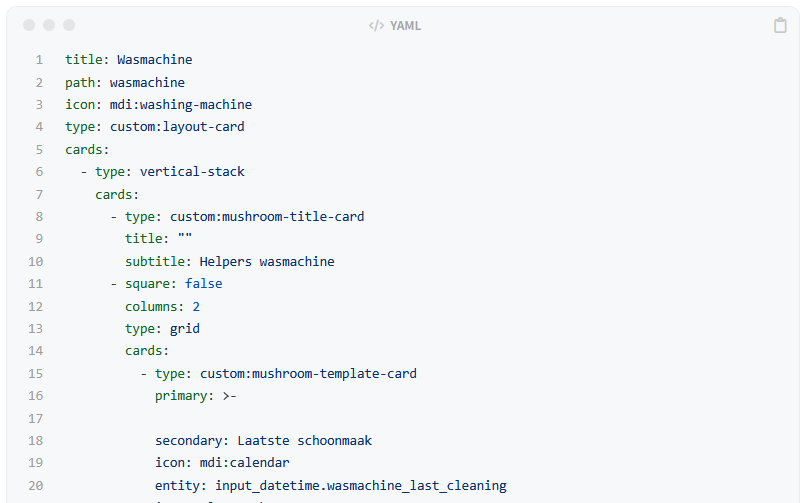 Fig.2 No vertical scroll bar
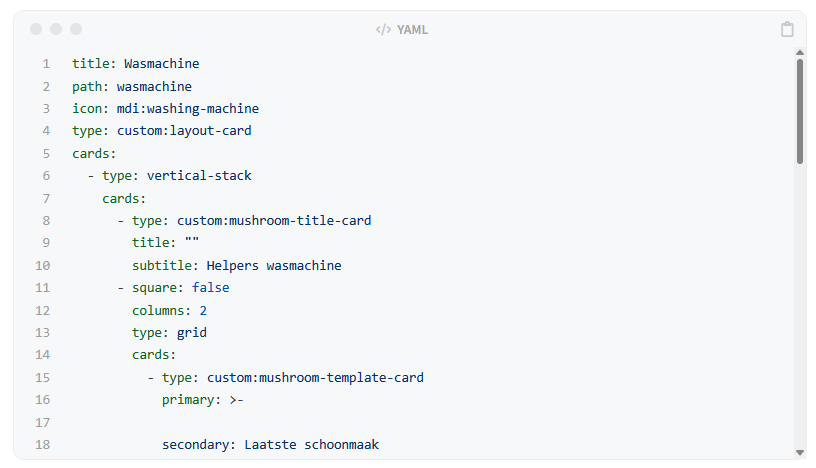 Fig.3 Vertical scroll bar
Horizontal scroll bar
Long lines can also create horizontal scroll bars, which are often less convenient for readers. To wrap long lines automatically, I added the following CSS to ./assets/css/jekyll-theme-chirpy.scss.
This combines line wrapping and word wrapping techniques.
1
2
3
4
pre, code {
  white-space: pre-wrap; /* Wraps long lines */
  word-wrap: break-word;
}
 Fig.4 Example of horizontal scrolling
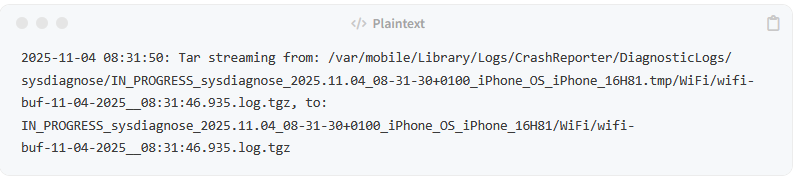 Fig.5 Long lines wrapped without horizontal scrolling