Automating reminders to clean the washing machine
Automating reminders to clean the washing machine.
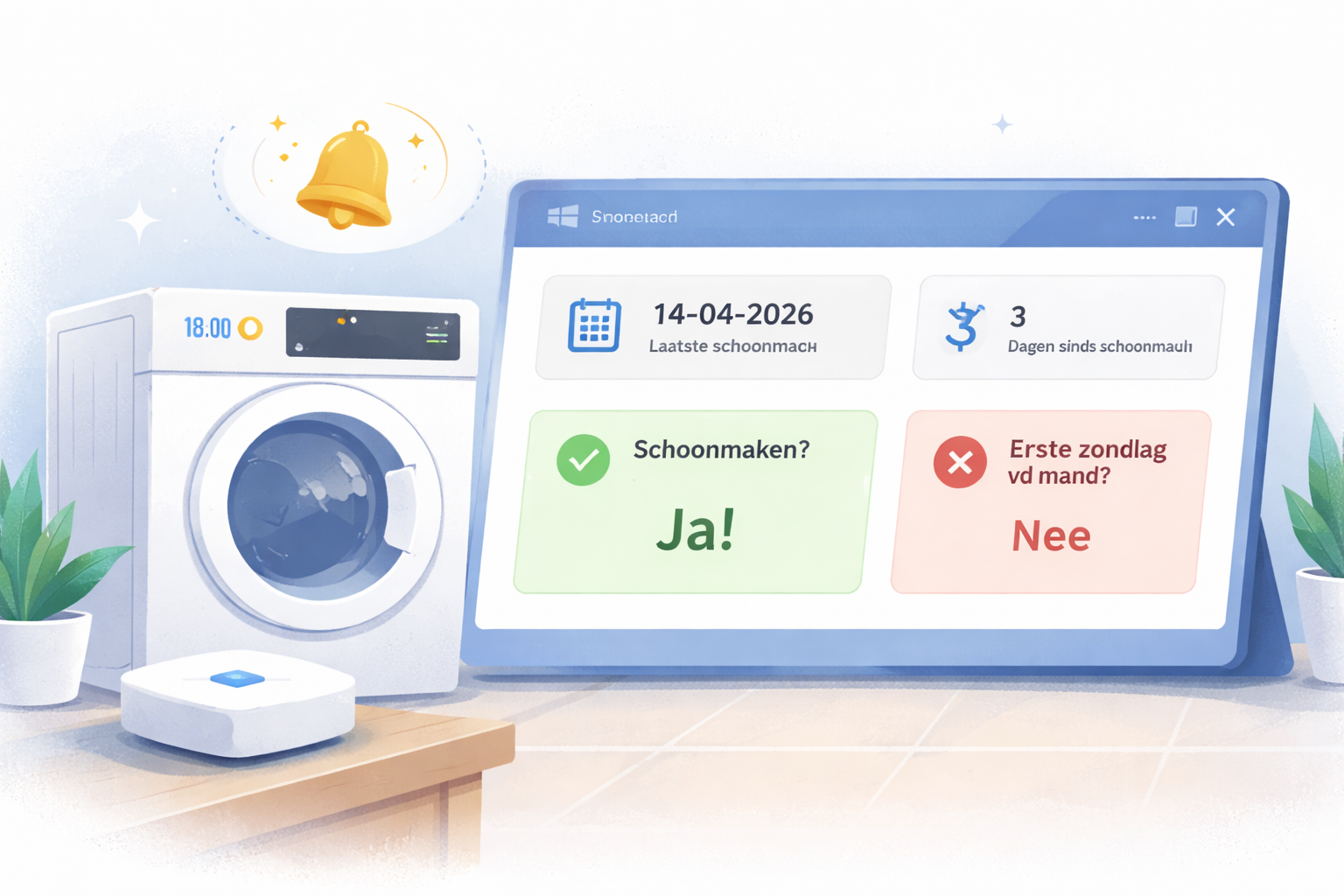
When we bought our new washing machine, the seller told us that for hygiene and durability it is advised to run the machine cleaning program once every month (fwiw). As with many small recurring household tasks, this is something we tend to forget. Because I did not want to connect the washing machine to WiFi, I used Home Assistant to automate a process that tracks the cleaning schedule and sends notifications when the cleaning program needs to run.
In this post I describe how I built a simple Home Assistant automation that reminds us to run the washing machine cleaning program.
Helpers
To track whether the cleaning program needs to run, I created a helper called input_boolean.wasmachine_needs_cleaning. When it is time to clean the washing machine, an automation sets this helper to on. This helper is then used to track whether the cleaning program has been executed.
The second helper, input_datetime.wasmachine_last_cleaning, stores the date when the cleaning program was last run. This is mainly used as a reference so we can see when the last cleaning took place.
Automations
The first automation runs every day at 18:00. It first checks whether the current day is the first Sunday of the month:
1
"\{\% set t = now() %}"
Remove the two \ before set
If this condition is true, the automation sets input_boolean.wasmachine_needs_cleaning to on and sends a notification to all phones in the house using the script script.notify_people_who_are_home. It also plays a message through the Sonos speaker in the living room.
1
2
3
4
5
6
7
8
9
10
11
12
13
14
15
16
17
18
19
20
21
22
23
24
25
26
27
28
- id: 1
  triggers:
    - trigger: time
      at: "18:00"
  condition:
    - condition: template
      value_template:
        "\{\% set t = now() %}"
  actions:
    - action: script.notify_people_who_are_home
      data_template:
        message: De wasmachine moet worden schoongemaakt!
        title: Wasmachine schoonmaken
    - action: sonos.snapshot
      data_template:
        entity_id: media_player.livingroom
    - action: tts.google_translate_say
      entity_id: media_player.livingroom
      data:
        language: nl
        message: De wasmachine moet worden schoongemaakt!
    - delay:
        seconds: 6
    - action: sonos.restore
      data_template:
        entity_id: media_player.livingroom
    - action: input_boolean.turn_on
      entity_id: input_boolean.wasmachine_needs_cleaning
Remove the two \ before set
The second automation also runs at 18:00. It checks whether the cleaning program still needs to run and sends a reminder if it has not been executed yet.
This automation checks the state of input_boolean.wasmachine_needs_cleaning. When the helper is set to on, the automation sends a notification to all people listed in the script script.notify_people_who_are_home. It also plays a spoken message through the Sonos speaker in the living room.
Because this automation runs at the same time as the first automation, the helper is still set to off when the first automation executes on the first Sunday of the month. As a result, this second automation does not trigger on that same day. This prevents both automations from sending messages at the same time.
1
2
3
4
5
6
7
8
9
10
11
12
13
14
15
16
17
18
19
20
21
22
23
24
25
26
- id: 2
  triggers:
    - trigger: time
      at: "18:00"
  condition:
    - condition: state
      entity_id: input_boolean.wasmachine_needs_cleaning
      state: "on"
  actions:
    - action: script.notify_everyone
      data_template:
        message: De wasmachine moet worden schoongemaakt!
        title: Wasmachine schoonmaken
    - action: sonos.snapshot
      data_template:
        entity_id: media_player.livingroom
    - action: tts.google_translate_say
      entity_id: media_player.livingroom
      data:
        language: nl
        message: De wasmachine moet worden schoongemaakt!
    - delay:
        seconds: 6
    - action: sonos.restore
      data_template:
        entity_id: media_player.livingroom
The third automation resets input_boolean.wasmachine_needs_cleaning when the cleaning program is started. A Zigbee button is used to trigger this automation. Both a short press and a long press are configured as triggers.
When the button is pressed, the automation sets input_boolean.wasmachine_needs_cleaning to off and updates input_datetime.wasmachine_last_cleaning with the current date.
To confirm the action, the automation also sends a notification to all phones that are currently registered as being in the house using the script script.notify_people_who_are_home.
1
2
3
4
5
6
7
8
9
10
11
12
13
14
15
16
17
18
19
20
21
22
23
24
25
- id: 3
  triggers:
    - device_id: bt1
      domain: zha
      trigger: device
      type: remote_button_short_press
      subtype: turn_on
    - device_id: bt1
      domain: zha
      trigger: device
      type: remote_button_long_press
      subtype: dim_up
  actions:
    - action: input_boolean.turn_off
      data:
        entity_id: input_boolean.wasmachine_needs_cleaning
    - action: script.notify_people_who_are_home
      data_template:
        message: De wasmachine is schoongemaakt!
        title: Wasmachine schoonmaken
    - action: input_datetime.set_datetime
      entity_id: input_datetime.wasmachine_last_cleaning
      data_template:
        datetime: ""
  mode: single
Remove the two \ before set
Front-end
The helpers are displayed in a dedicated view. For this view several Mushroom cards are used.
The first mushroom template card displays the value of input_datetime.wasmachine_last_cleaning. The second card shows the number of days since the last cleaning.
The second row of cards shows the current state of input_boolean.wasmachine_needs_cleaning and whether the current day is the first Sunday of the month.
1
2
3
4
5
6
7
8
9
10
11
12
13
14
15
16
17
18
19
20
21
22
23
24
25
26
27
28
29
30
31
32
33
34
35
36
37
38
39
40
41
42
43
44
45
46
47
48
49
50
51
52
53
54
55
56
57
58
59
60
title: Wasmachine
path: wasmachine
icon: mdi:washing-machine
type: custom:layout-card
cards:
  - type: vertical-stack
    cards:
      - type: custom:mushroom-title-card
        title: ""
        subtitle: Helpers wasmachine
      - square: false
        columns: 2
        type: grid
        cards:
          - type: custom:mushroom-template-card
            primary: >-

            secondary: Laatste schoonmaak
            icon: mdi:calendar
            entity: input_datetime.wasmachine_last_cleaning
            icon_color: amber
            tap_action:
              action: more-info
          - type: custom:mushroom-template-card
            primary: >-
              0
            secondary: Dagen sinds schoonmaak
            icon: mdi:timer
            icon_color: ""
            tap_action:
              action: more-info
            entity: input_datetime.wasmachine_last_cleaning
      - type: custom:mushroom-title-card
        title: ""
        subtitle: Sensors wasmachine
      - square: false
        columns: 2
        type: grid
        cards:
          - type: custom:mushroom-template-card
            primary: Schoonmaken?
            secondary: >-
              Ja!
            icon: >-
              mdi:check
            entity: input_boolean.wasmachine_needs_cleaning
            icon_color: >-
              green
            tap_action:
              action: more-info
          - type: custom:mushroom-template-card
            primary: Eerste zondag vd maand?
            secondary: >+
              \{\% set t = now() %}

              Nee


            icon: ""
            icon_color: ""
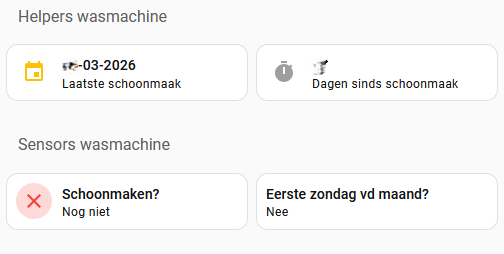 Fig.1 View
Conclusion
With this setup Home Assistant tracks whether the washing machine needs to run the cleaning program and records when it was last executed. The automation has been running reliably for more than a year.
The only part that cannot be fully automated is the human factor. Sometimes the cleaning program is postponed, which results in the reminder automation running multiple times.